From prospect packet to a priced comparison in minutes, not hours.
Census reads payroll registers, censuses, workers' comp policies and loss runs, flags what needs a second look, and shows the prospect what they pay today against your plans.
20 minutes. We'll walk a sample prospect packet through it end to end.
The underwriting legwork, done before your rep opens the file.
Only asks about what it isn't sure of
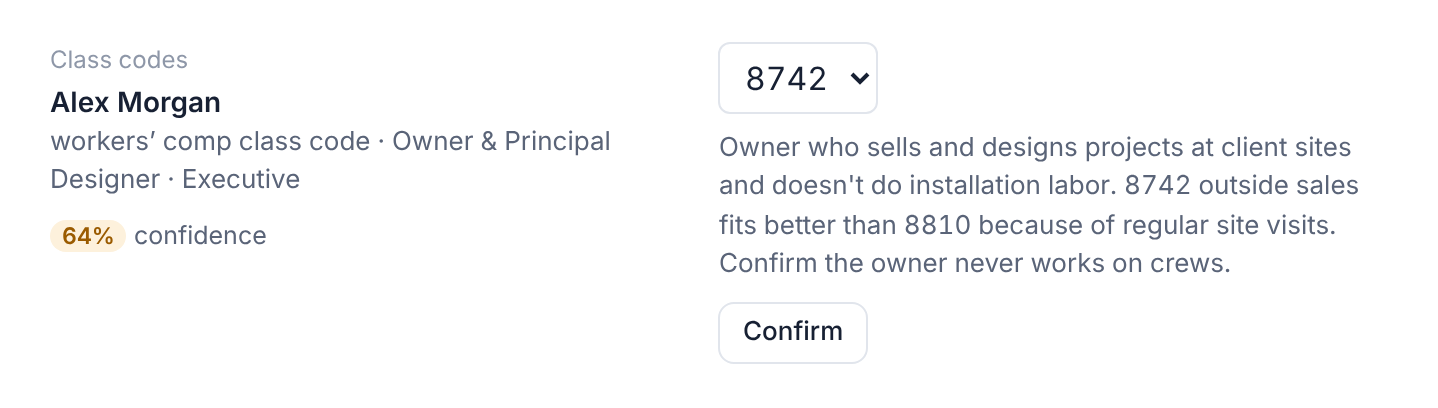
No more coding a census line by line. Census suggests a workers' comp class code for every employee and explains why. Anything it's less than 80% sure of comes to the rep to confirm.
Catches problems before you price them
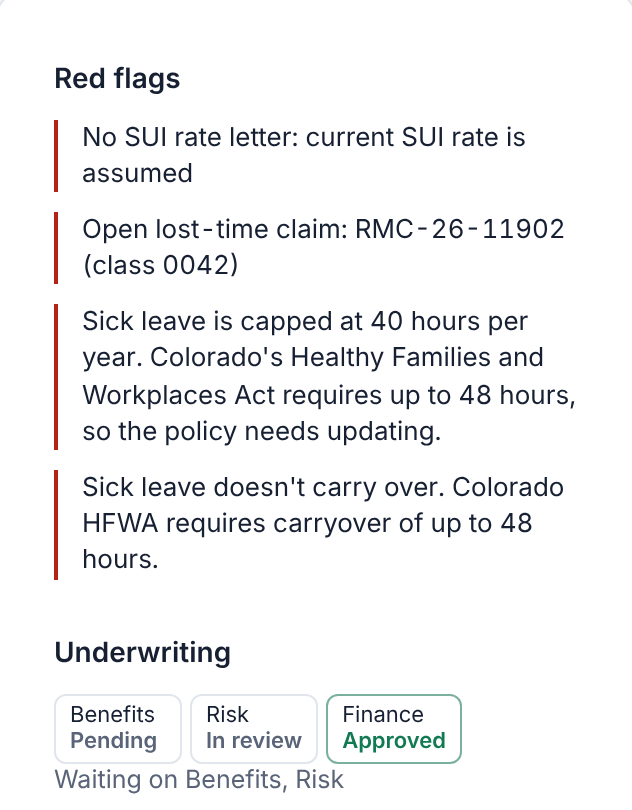
Open claims, missing rate notices, employees who waived coverage, leave policies that don't meet state law. Red flags surface on the first screen, not in week two of underwriting.
Gives your team a comprehensive cost comparison
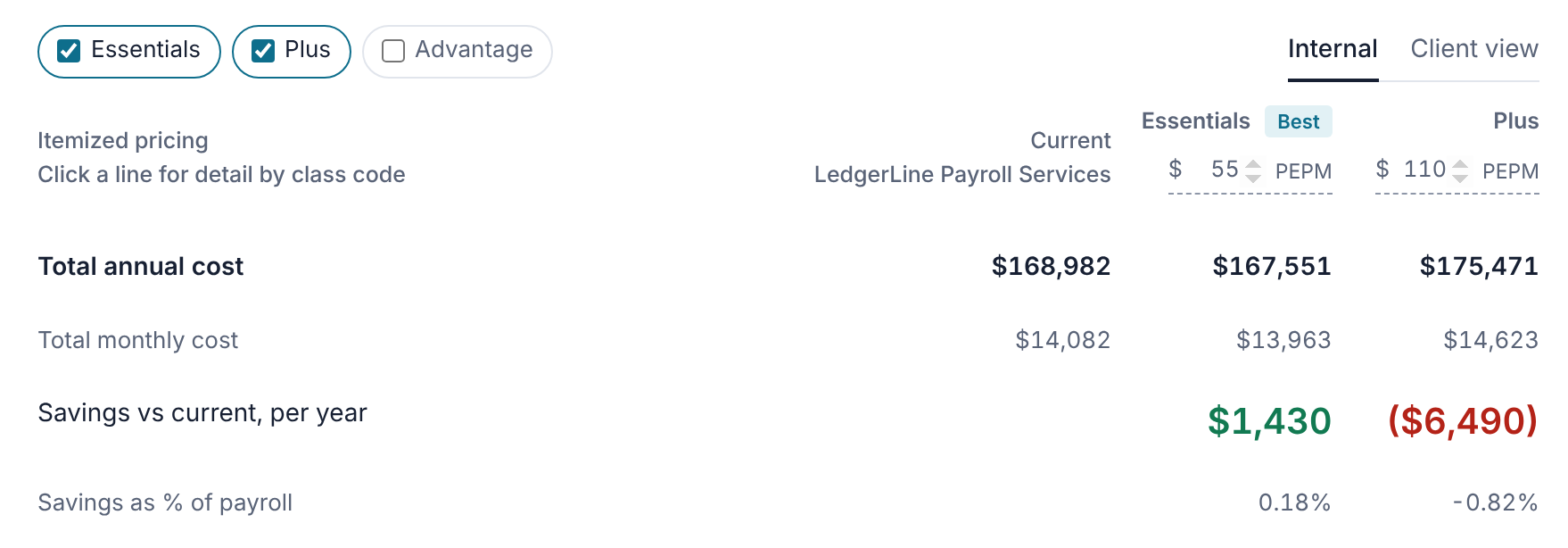
Current costs against each plan you offer, line by line: taxes, SUI, workers' comp by class code, fees and health. Priced on your own rates and pricing model. Your team sees the margin; the client view hides it.
Routes to underwriting and tracks every deal
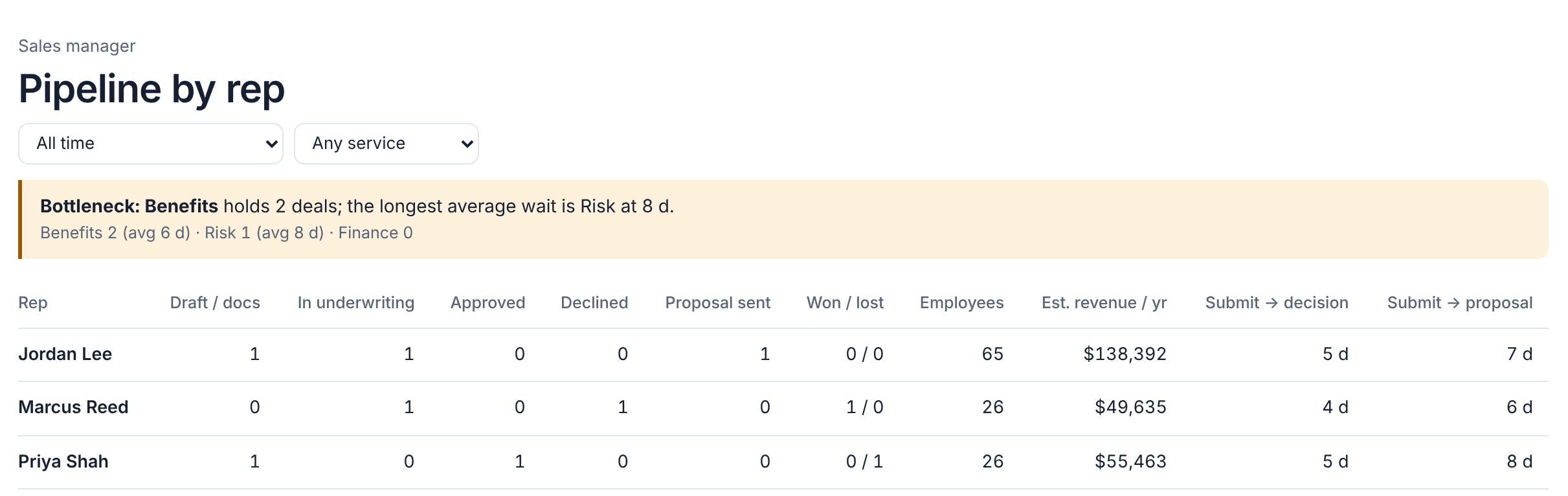
One click sends benefits, risk and finance their piece. Reps see where each deal stands, and managers see the pipeline by rep and which team is holding things up.
How it works
Upload the packet
Pick payroll, benefits, workers' comp and HR. Census asks only for the documents those services need.
Confirm what's flagged
Check the few uncertain values and red flags. Everything else is already filled in.
Compare the cost
See today's total cost against each plan, on your rates, fees and pricing model.
Send and propose
Route to underwriting in one click, then turn approved rates into a client-ready proposal.
"I sold for a PEO. Every prospect meant hand-keying payroll registers before underwriting could even start, and two weeks or more to get a proposal out. We built the tool I wanted then."
Questions
What does Census need from a prospect?
A recent payroll register is the only must-have. Add a census and plan summaries if you're quoting benefits, and the workers' comp declarations page if you're quoting comp. Loss runs, rate notices and invoices sharpen the picture but aren't required.
Does it work with how we price?
Yes. It's set up for each PEO: bundled RTI or itemized taxes, per-employee or percent-of-payroll fees, SUI under your account or the client's, and your own workers' comp rates by class code and state.
Quote before the competition does.
We're opening a small number of pilot spots for PEOs this quarter. Tell us about your team and we'll walk a sample packet through Census and talk about where yours get stuck.